Know the emergency banking procedures that can help protect your money if your phone is stolen
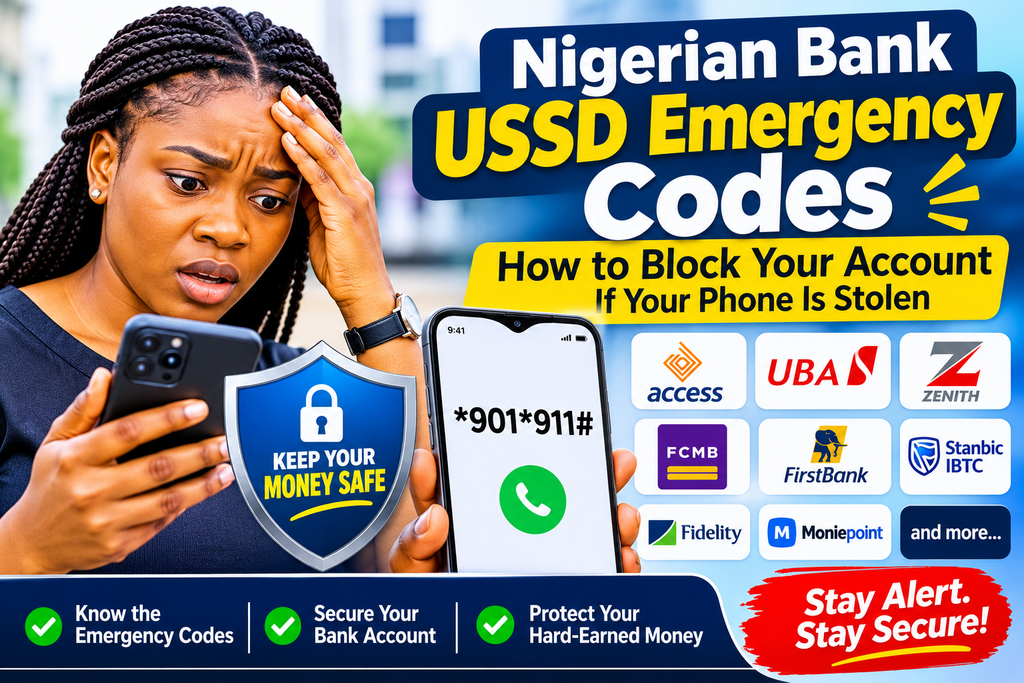
Nigerian bank USSD emergency codes could help protect your money if your phone is stolen, misplaced or accessed by someone without your permission. For customers who use mobile banking, knowing how to restrict account access quickly can make a significant difference in an emergency.
A recent incident involving a woman who handed her unlocked phone to a stranger at a public park has renewed attention to the importance of mobile banking security.
According to the account shared by Tech Clarity Coach and Founder of Tech Skills Hack, Iniobong Udoh II, her sister gave her phone to a woman who claimed she was stranded and needed to contact someone.
However, the phone owner reportedly noticed suspicious activity while the stranger was using the device. She immediately retrieved her phone and questioned the woman, who allegedly struggled to explain her actions.
Although she could not establish exactly what the stranger had attempted to do, she contacted her banks and requested restrictions on her accounts as a precaution.
The incident highlights a security risk many Nigerians may overlook: an unlocked smartphone can provide access to sensitive financial information, banking applications and other personal accounts.
What Should You Do If Your Phone Is Stolen or Compromised?
Losing a phone is no longer just about losing contacts, pictures and personal files. For many Nigerians, smartphones also provide access to bank accounts, digital wallets, email accounts and financial applications.
If someone gains access to your unlocked phone, they may attempt to exploit information stored on the device or access banking services.
Rather than waiting until the next working day to visit a bank, customers should know the emergency procedures available through their financial institutions.
Some Nigerian banks provide USSD emergency services that allow customers to block accounts, restrict transactions or disable specific banking channels.
USSD banking does not require an internet connection or smartphone. However, the available emergency options and authentication requirements differ from one bank to another.
Verified Emergency USSD Codes for Nigerian Banks
The following codes and procedures have been checked against available bank information. Importantly, not every code blocks an entire bank account.
1. Access Bank
Emergency code: *901*911#
Access Bank customers can dial this code from a phone to access the account-blocking feature.
The bank provides options to block their own accounts or use the third-party option when their registered phone is unavailable. Customers must complete the required authentication, including their USSD PIN.
Access Bank confirms that the service can be used from another person’s phone, including a non-Access Bank customer’s device.
2. United Bank for Africa (UBA)
Emergency code: *919*911#
UBA customers can dial this code to access emergency account-freezing and card-blocking options.
The bank also provides an option to freeze online transactions through *919*9#.
Customers should follow the instructions displayed after dialling the code to select the appropriate restriction.
3. Zenith Bank
Emergency code: *966*911#
Zenith Bank identifies this as a distress code for customers whose phones have been stolen or whose banking information has been compromised.
The code is designed to automatically block the customer’s account.
4. FCMB
Emergency code: *329*911#
FCMB provides an emergency option for blocking a USSD profile or bank account.
The bank states that customers can dial the code from either their registered or an unregistered phone number. Alternatively, customers can dial *329#, select Self-Service and follow the instructions to block an account.
5. FirstBank
Emergency code: *894*911#
FirstBank customers can use this code to deactivate their USSD banking service.
However, disabling USSD banking does not necessarily mean the entire bank account has been frozen. Customers who require a full account restriction should contact FirstBank directly.
6. Stanbic IBTC Bank
Emergency code: *909*1*911#
This code is listed as an emergency account-blocking option for Stanbic IBTC customers.
Customers should confirm the restriction through the bank’s official customer service channels if they cannot complete the process.
7. Fidelity Bank
Emergency code: *770*911#
Fidelity Bank confirms that this code blocks a debit card.
The bank separately provides an account-freezing option through its emergency procedures. Customers should not assume that blocking their debit card automatically freezes their entire account.
8. Keystone Bank
Emergency code: *7111*911#
This is listed as an emergency account-blocking code for Keystone Bank customers.
If the code fails or the customer is uncertain about the restriction applied, contacting the bank immediately is advisable.
9. Moniepoint
Emergency code: *5573*911#
Moniepoint confirms that customers can use this code to block or unblock their accounts and cards.
The emergency menu provides options for customers who need to stop unauthorised access to their financial accounts.
ALSO READ: How an Okada Rider Helped Uncover Clues in Mmesomma’s Disappearance
Important: Blocking Your Card Is Not the Same as Freezing Your Account
One of the most important things customers should understand is that different banking restrictions serve different purposes.
Blocking a debit card: This prevents the affected card from being used for transactions. It does not necessarily stop every other transaction channel linked to the account.
Disabling USSD banking: This restricts access through the bank’s USSD service but may leave mobile apps, internet banking and other channels active.
Freezing an account: This places a restriction on the account itself, preventing transactions according to the bank’s applicable procedures.
Restricting online transactions: This targets online card or account transactions, depending on the bank’s service. It does not automatically mean all withdrawals and transfers have been stopped.
Before relying on an emergency code, read the options displayed and confirm the exact restriction successfully applied.
What If Your Bank Is Not Listed?
Not all banks publish the same emergency codes or offer identical account-blocking services.
Customers of banks such as GTBank, Sterling Bank, Wema Bank, Standard Chartered and other financial institutions should verify their current emergency procedures through their respective official websites or customer service channels.
For example, GTBank publishes an account-blacklisting option through *737*51*74# and a separate card-hotlisting option through *737*51*10#. These should not automatically be described as equivalent to a full account freeze.
Similarly, customers of digital financial services should check the provider’s official app or website for emergency account-locking instructions before an incident occurs.

What to Do Immediately If Your Phone Is Stolen
Apart from contacting your bank, take the following steps as quickly as possible:
- Contact your bank: Use an official customer service number or verified channel to report the incident and request the appropriate account restrictions.
- Block your SIM card: Contact your mobile network provider and request that the stolen SIM be deactivated to prevent unauthorised access to calls, messages and verification codes.
- Secure your banking applications: Change your banking passwords and PINs using a trusted device. Ask your bank to help revoke access to compromised devices where necessary.
- Check your transaction history: Review recent transactions and immediately report any suspicious activity.
- Secure your email and other accounts: Change compromised passwords, especially for email accounts that may be used to reset banking credentials.
- Do not disclose sensitive information: Never share your banking PIN, password or one-time password (OTP) with anyone claiming to be a bank representative.
- Confirm that restrictions are active: Do not assume that a request has been successful until you receive confirmation from your bank.
How to Help Strangers Without Compromising Your Phone Security
Being kind to people in need should not mean exposing your financial information to strangers.
If someone approaches you in a public place and asks to make an emergency call, you can offer to dial the number yourself and put the call on speaker.
Avoid handing over an unlocked phone to someone you do not know, particularly when your banking applications, email accounts and personal information are accessible on the device.
You should also use your phone’s screen lock, biometric authentication and available device-tracking features to reduce the risk of unauthorised access.
Save These Emergency Banking Procedures Before You Need Them
The incident shared by Iniobong Udoh II is a reminder that financial security begins with everyday decisions.
You do not have to wait until your phone is stolen or your banking details are compromised before learning how to protect your accounts.
Save your bank’s official emergency contact details, verify its account-blocking procedure and understand the difference between restricting a card, disabling USSD banking and freezing an account.
Also remember that USSD codes and banking procedures can change. Always confirm the latest instructions through your bank’s official channels before using them.
Your smartphone carries more than your contacts and photographs. It may also hold the keys to your financial life. Protect it accordingly.
Source: Iniobong Udoh II, Tech Clarity Coach and Founder of Tech Skills Hack. Emergency banking procedures referenced from official bank information.
About the Author